Establishing Conversational Design
What do travelers want to ask an expedia chat bot?
In 2016 Expedia launched into the innovative and groundbreaking space that is conversational design by way of bots. In a short period of time, we developed a conversational bot platform that not only is platform agnostic but also supports a variety of use cases driven by user research. We began with being one of the first to have a Facebook Messenger bot and immediately followed by launching a second bot on the Skype platform. Because conversation design is new for much of the industry, we had to make decisions with little to no data, industry examples, or best practices to follow. How could we know we’re doing the right flow for the user? How will a user talk to a bot? How can we share useful flight or hotel search results in 100 characters or less? How do we gracefully transition our users from bot to a customer support agent? What are the unhappy paths we aren’t thinking of? Have we even defined what the happy path is? How can we build something scalable across platforms that have separate and different design constraints? These loaded questions as well as many more influenced the products we have in the wild today.
My role
It was a small team of two designing the user experience - myself leading interaction and visual design and a senior content strategist.
Skills Used
interaction design
visual design
user testing
user flows
information architecture
site maps
annotated wireframes
project management
User problem
Users are increasingly using chatbots for businesses that are integrated into chat platforms they are already using today. Facebook has 900 million active users, Skype has 74 million, LINE has 560+ million, the list goes on.
User research suggests users are always thinking about their next trip, and need more ways to browse travel.
After booking a trip users want extra assurance, separate from the website, that their travel is confirmed and booked. This is users top reason for calling into the call center.
User research also shows that users frequently call our support centers to cancel their flight.
Expedias opportunity
User acquisition through normal channels continues to be costly. Creating bots in products where users already exist allowed us the opportunity to get customers more affordably.
Calls made to our customer support centers cost the business money. Bots provide a way to get users the information they would otherwise get from an agent at a much more affordable cost.
Conversational design is a new space across the industry. By being one of the first in travel with chatbots we have the chance to get a leg up against our competitors as we begin to understand conversational commerce. We also gain marketing advantages with the platforms as they seek out well-known brands to feature and fund in this new space.
Project goals
Allow users to browse and shop for travel with a chat bot
Allow users to reconfirm their flight or hotel
Allow users to cancel their flight
Connect users to a customer call center agent when the bot can’t help
OUR Timeline
Feb - Jun 2016
Created and launched a Facebook Messenger bot that allows a user to shop and book a hotel.
Completed industry research, competitor analysis, and platform analysis.
Had daily check ins with Facebook partners
Prototyped with Omingraffle and Sketch
Aug - Dec 2016
Repurposed Facebook Messenger bot work, expanded use cases, and launched a Skype bot.
Evaluated competitors, kicked off the project onsite at Microsoft
Worked almost 24/7 with Skype developers and product owners
Prototyped with Omingraffle, Google Drawing, and Sketch
Became primary user acceptance testing (UAT)
skype bot Launched in mid December
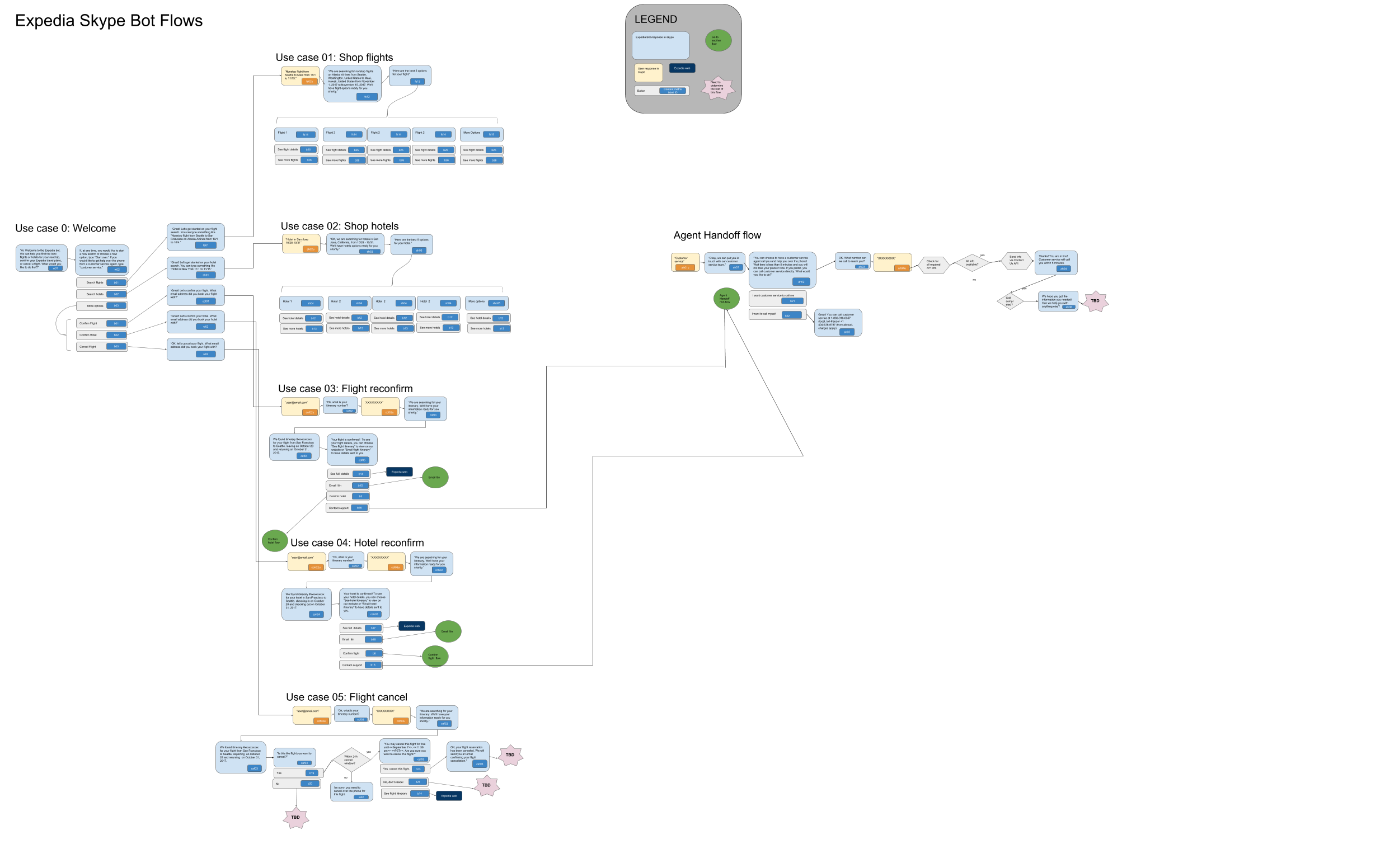
Our original user flows that we started out with when we kicked off engineering work. We had one week to do this, and needed to be able to collaborate rapidly so we used google drawing.
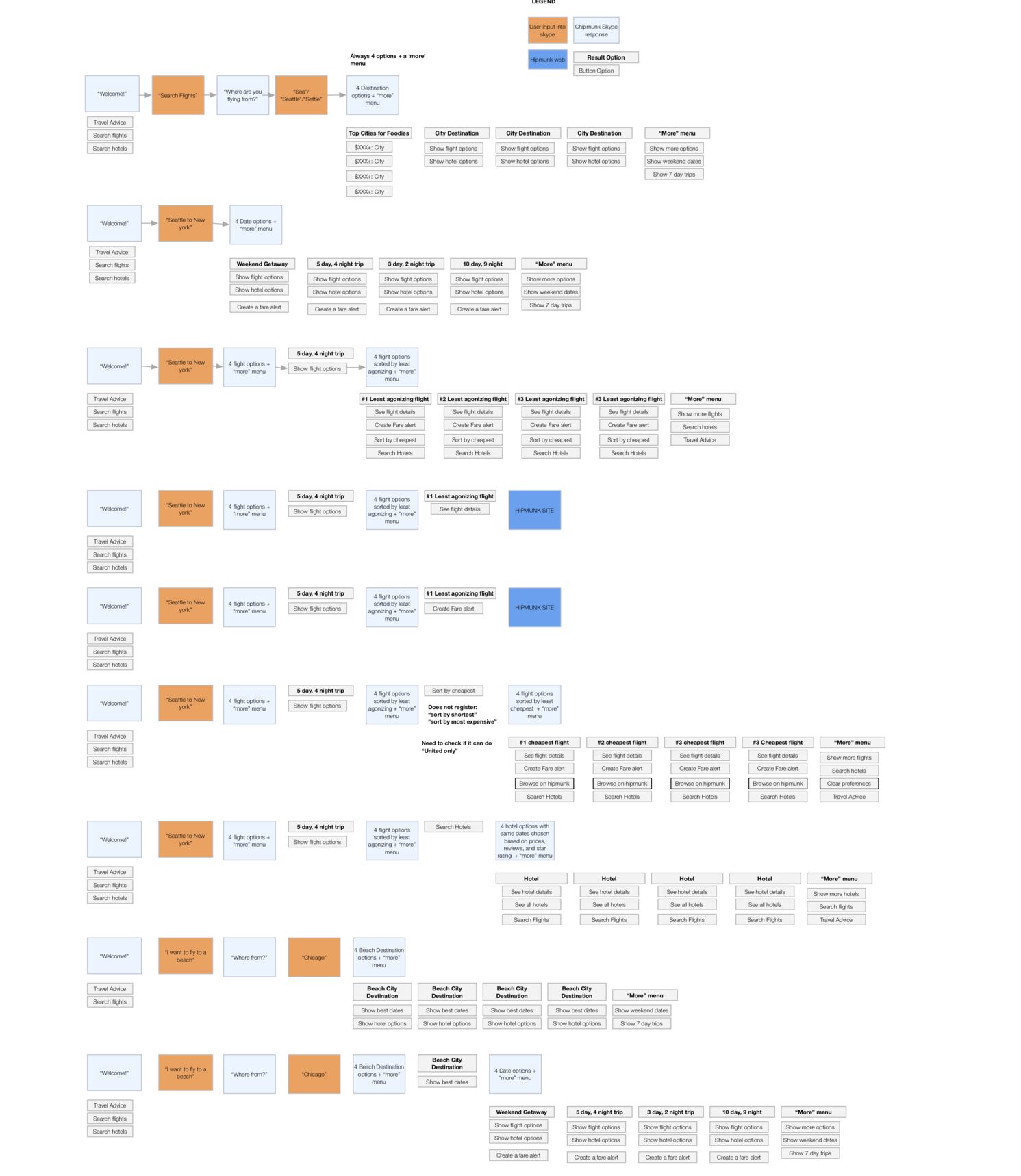
Hipmunk's user flows at the time of this project. They were easily the most advanced travel chat bot in the space.
Our process
We had about a week to get a head start on user flows before engineering was going to start building, so we had to move fast. We looked at competitors and documented their user flows while also thinking about our key interactions and questions. We were able to to draft and presented our user flows to the entire team when we had our kick off at Microsoft.
As the devs began to build, we were working through the use cases to catch things we missed, technical constraints that Microsoft or Expedia had, and reducing scope on more challenging interaction points. I also spent time polishing the very little visual design that would exist.
We say side by side devs every day and published out the latest user flows, content strings, and visual assets every morning to keep everyone on the same page.
Our Most Complicated Use Case
Our most complicated use case was transitioning a user from the chat bot to a call with a call center agent. Due to Skype limitations, we could not have the call take place within skype itself - a user had to provide us with their phone number and wait for the phone to ring. No other competitors were doing this, and a lot of user experience felt sticky no matter what we did.
The solution we felt most confident with included asking a user for their confirmation number (if relevant) so the call could be pre-routed to the appropriate team to help. If a user did not have a confirmation number, we
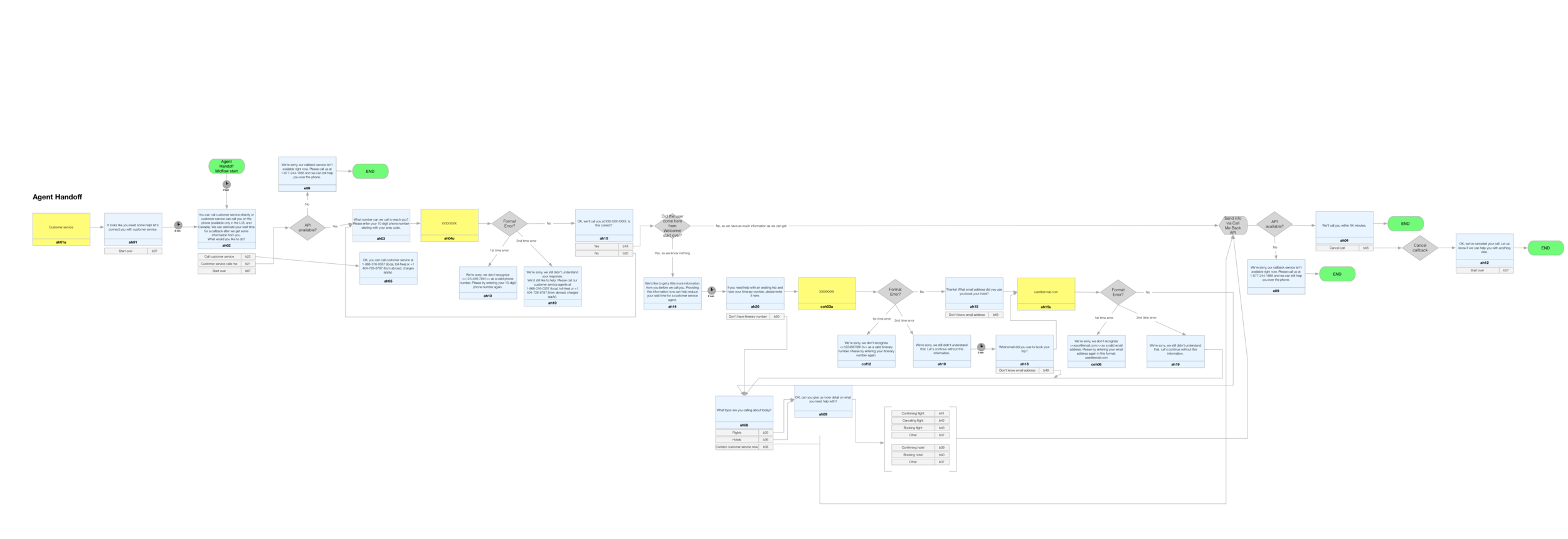
Our MVP flow for the Agent Handoff user case. This was out most complicated one.
Advocating for an onboarding experience
Because the content strategist and myself recognized how new chat bots were to Internet users in North America in general, we felt it was especially important to think about how to onboard them to our product. We looked at the few competitors we knew of doing this well as inspiration and created an ideal north star version of what our experience could look like. We presented this to product with the north star broken down by priority because we expected (and received) immediate push back.
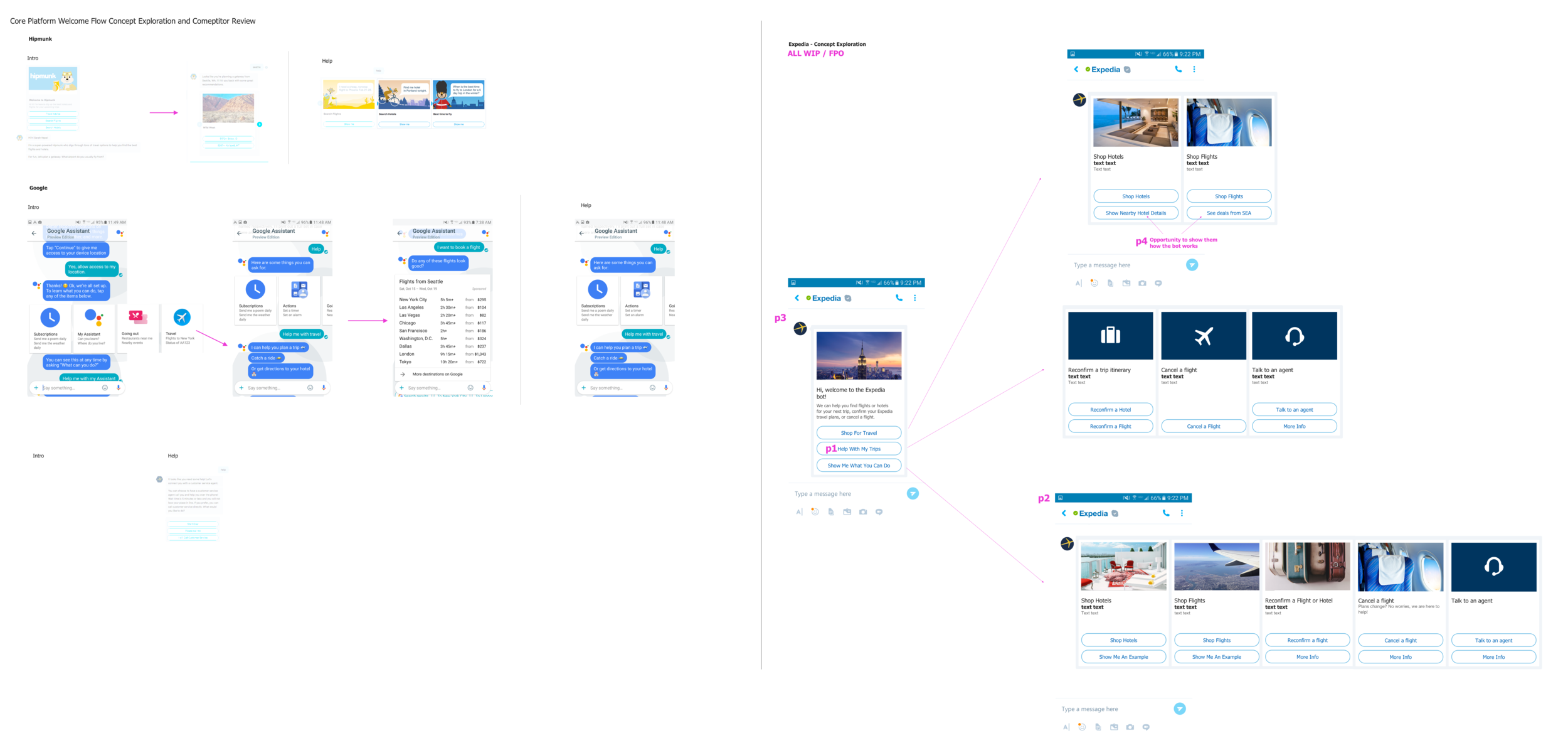
Our recommended onboarding experience for a new user when they add the Expedia chatbot.
Visual explorations
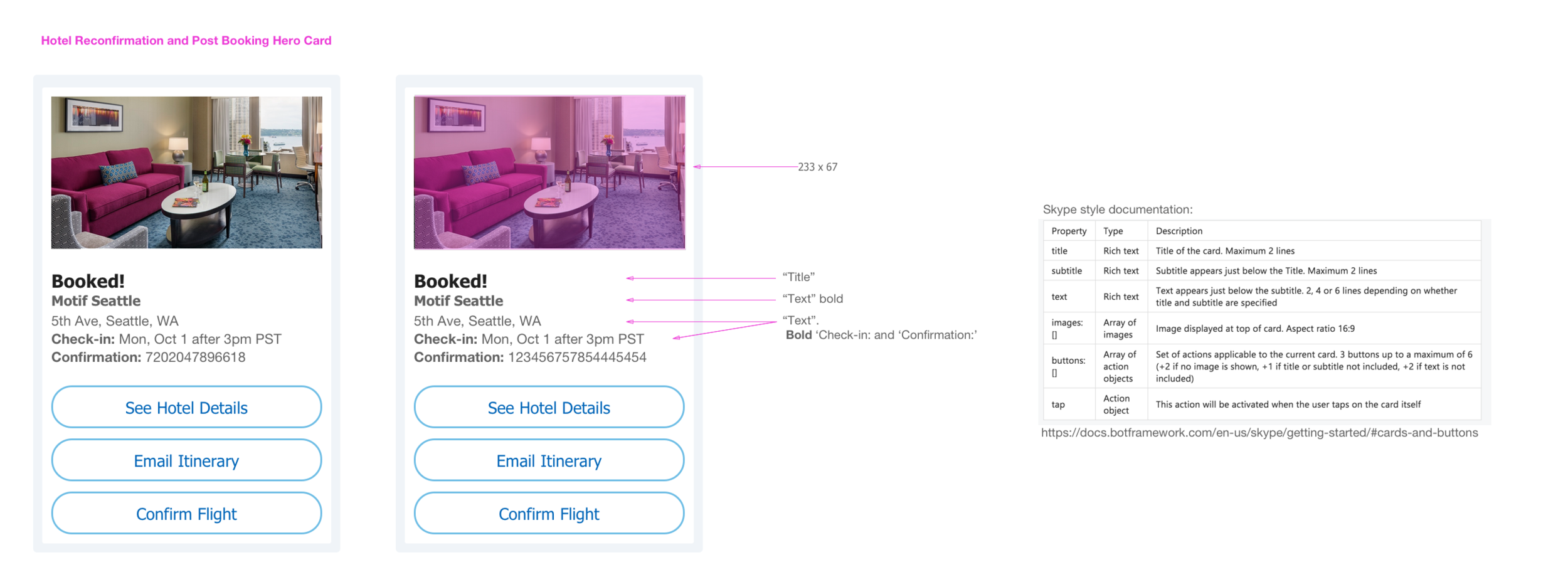
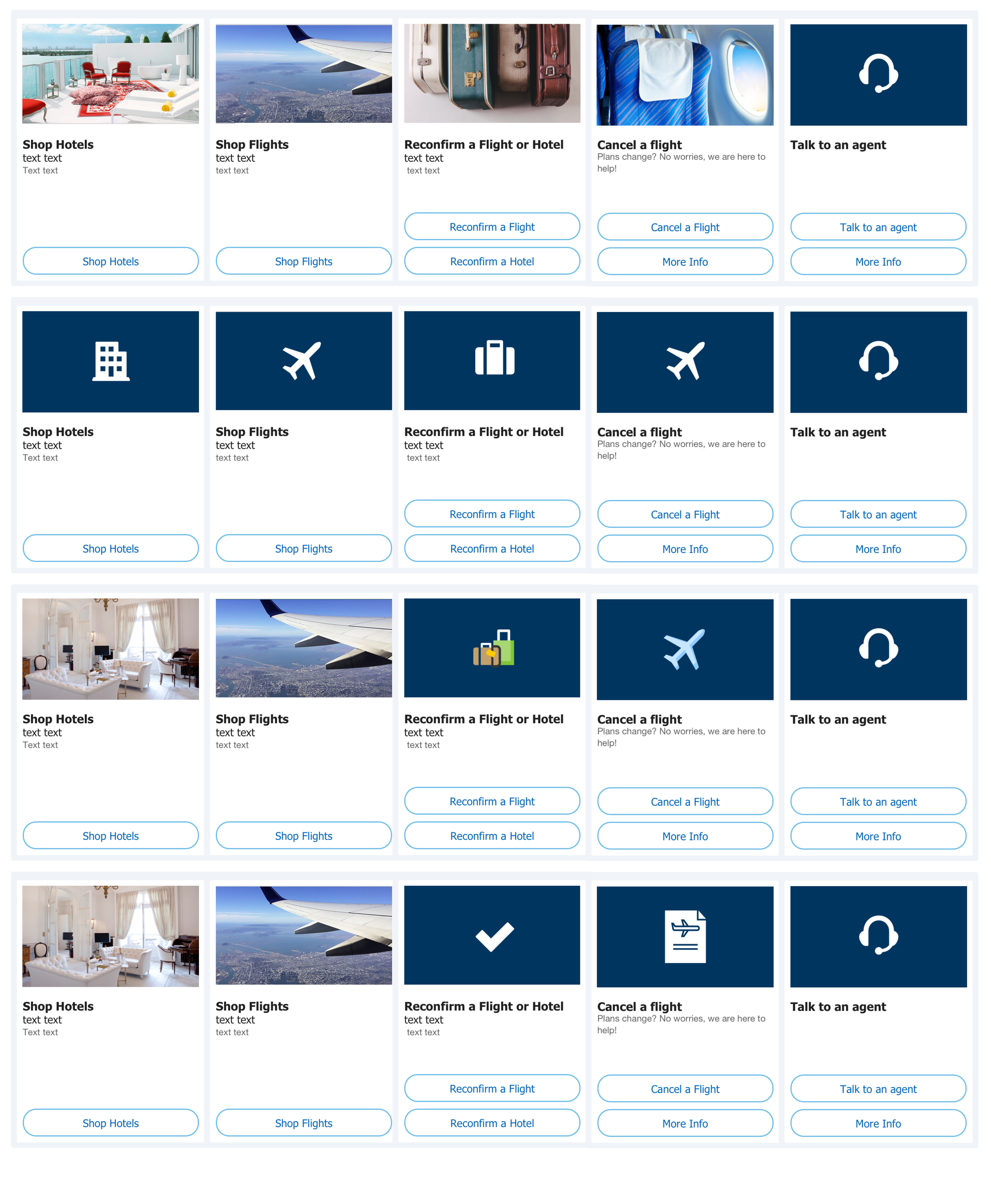
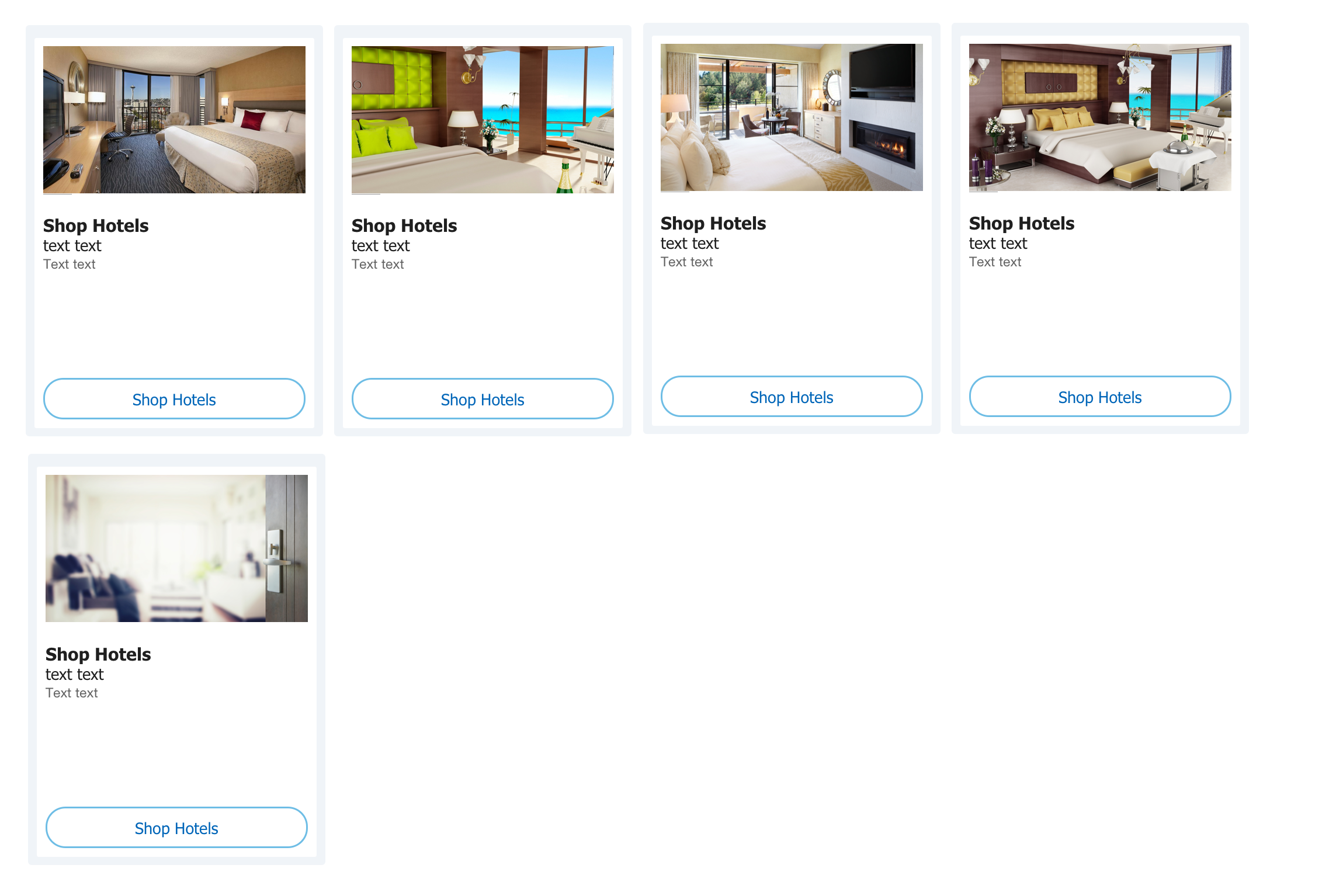
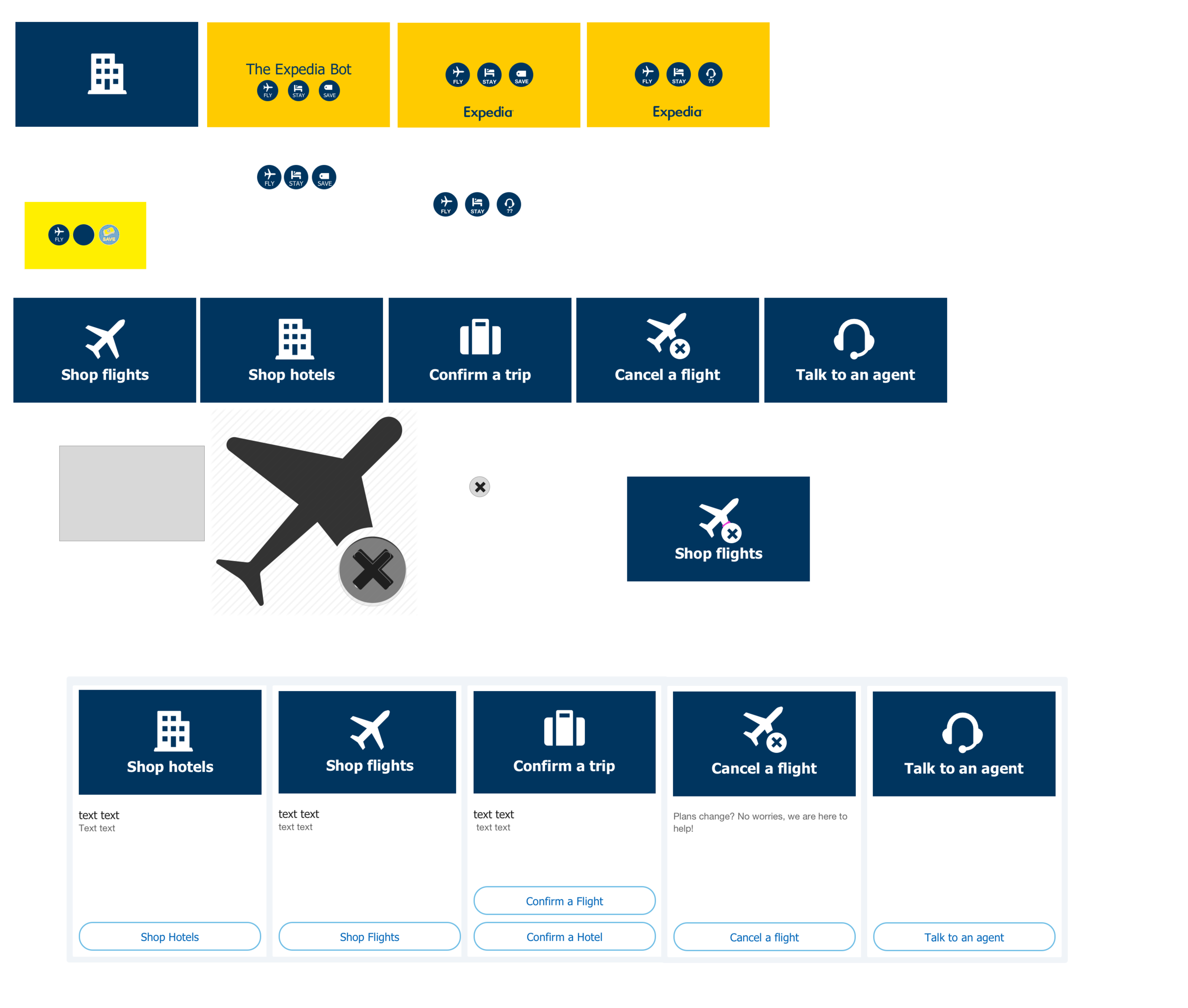
For having such few visual moments, I felt it was important to get those moments done right. That meant creating eye catching, accessible, designs given the platform's constraints. I spent a lot of time soliciting feedback from our larger UX team for feedback. Some explorations are below.
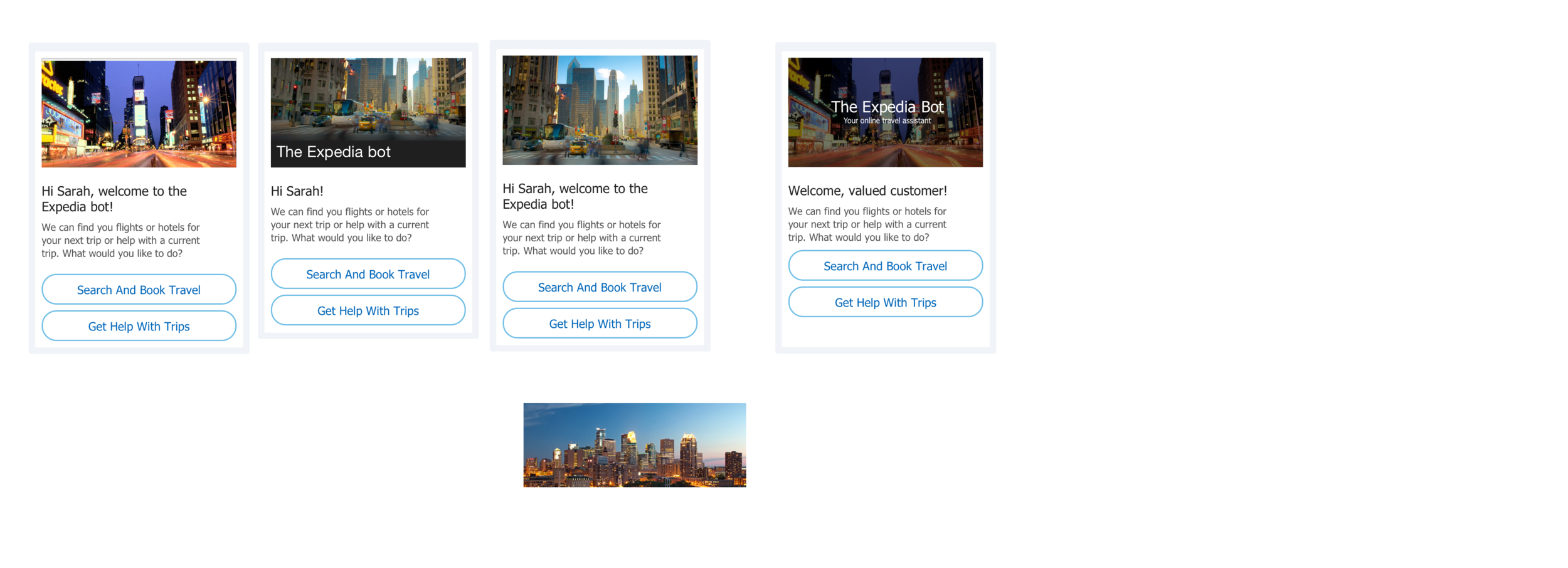
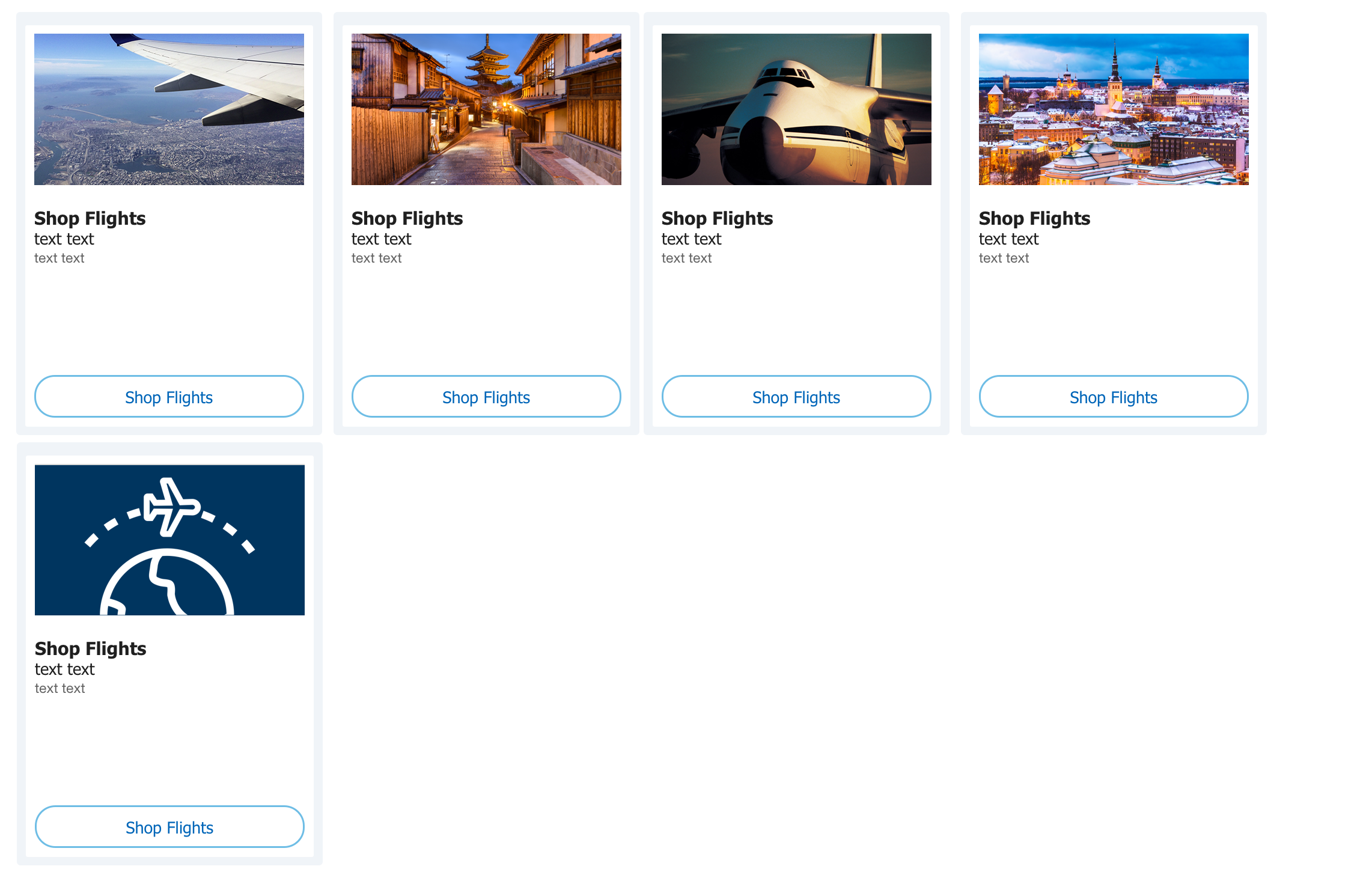
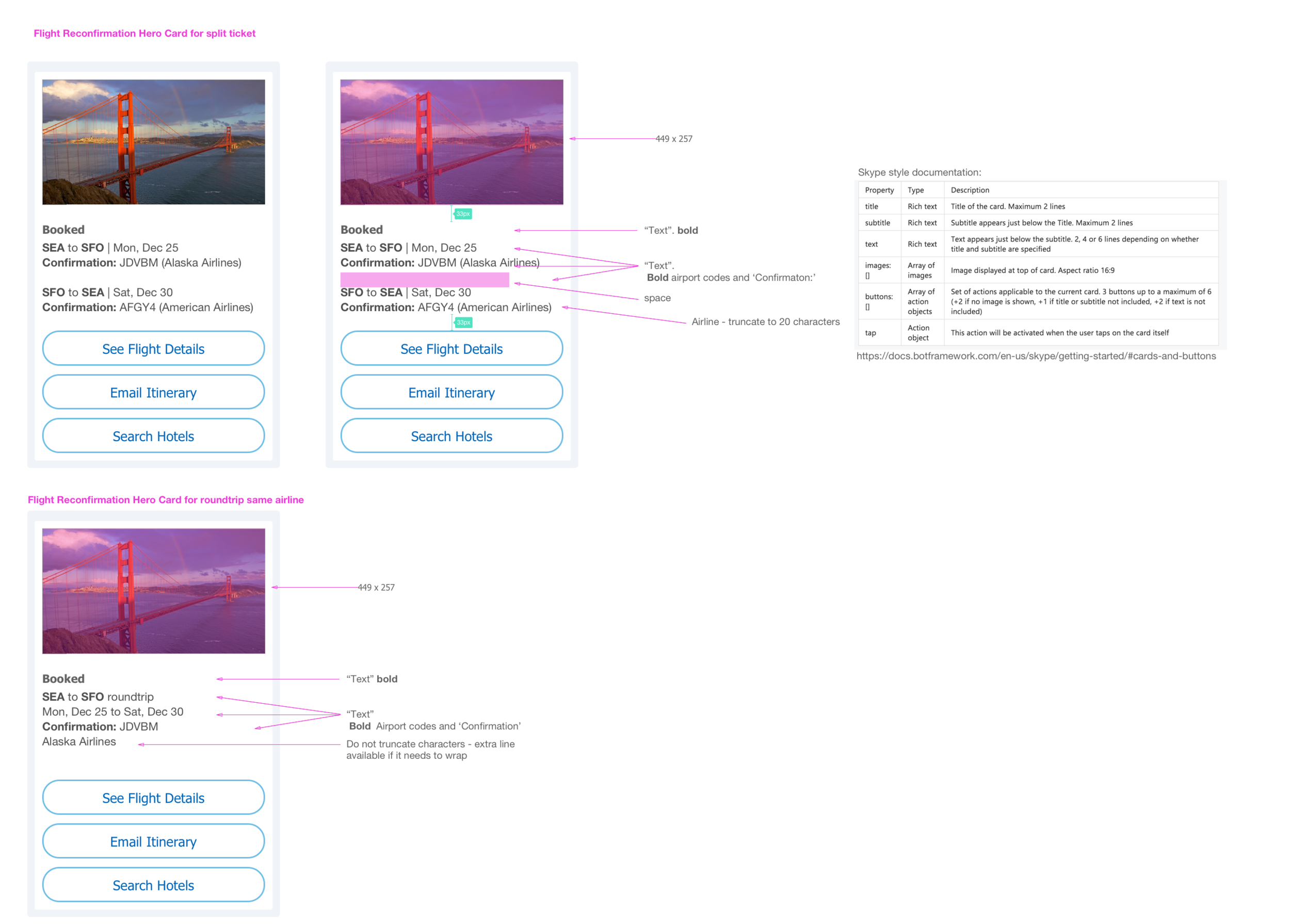
Final deliverable and results
After a whirlwind 5 months, we launched our Skype bot on time and were able to be featured in the Microsoft keynote. The team immediately got funding to grow the team and we started working on a LINE bot. Eventually, the team expanded further into the voice space with Microsoft's Cortana and Amazon's Alexa.
Data from the fIrst two months after launch
60 Unique users visiting the chatbot daily generating ~150 unique conversations. At the time, this was a high number according to Microsoft as Skype bots were very new
Our most common use case was shopping for a hotel - accounting for 36% of all conversations
The click through rate to the Expedia website to continue hotel shopping was 16% and conversion on these for booking was 0.3%
Connecting a user to an agent handoff was the second most used scenario at 10%, but completion rate (start to finish) was only 3%
Our biggest drop off was on Hotel/Flight reconfirm - no one wanted to enter their itinerary number
Associated press
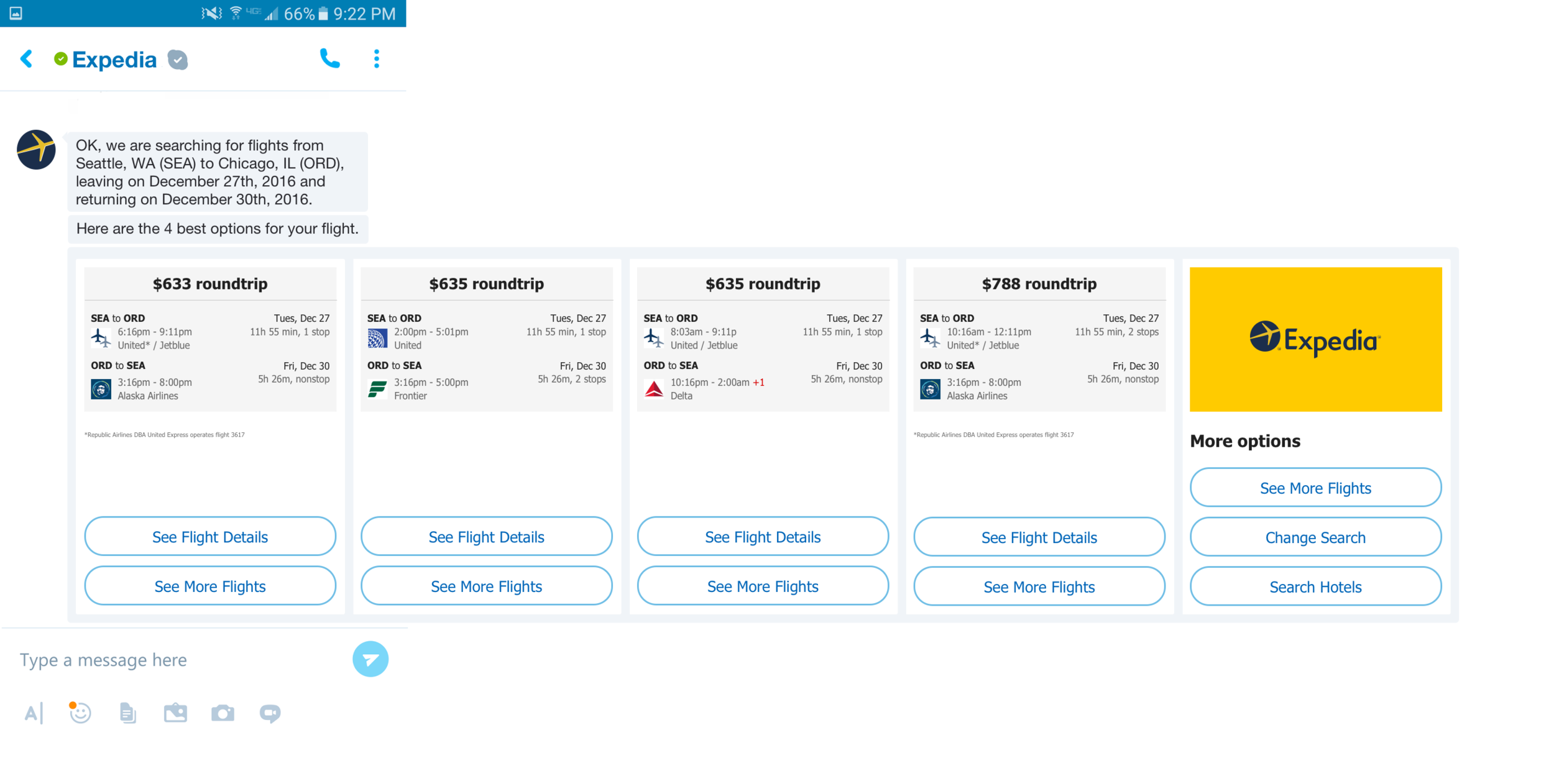
This was our MVP design for a user receiving flights search results.
looking back
what went well
Built new partnerships with Facebook and Skype dev and product teams
Established a design that can be repurposed at various capacity for future platforms
Featured in both platforms keynotes when launching bots
Established an improved relationship with our engineering team
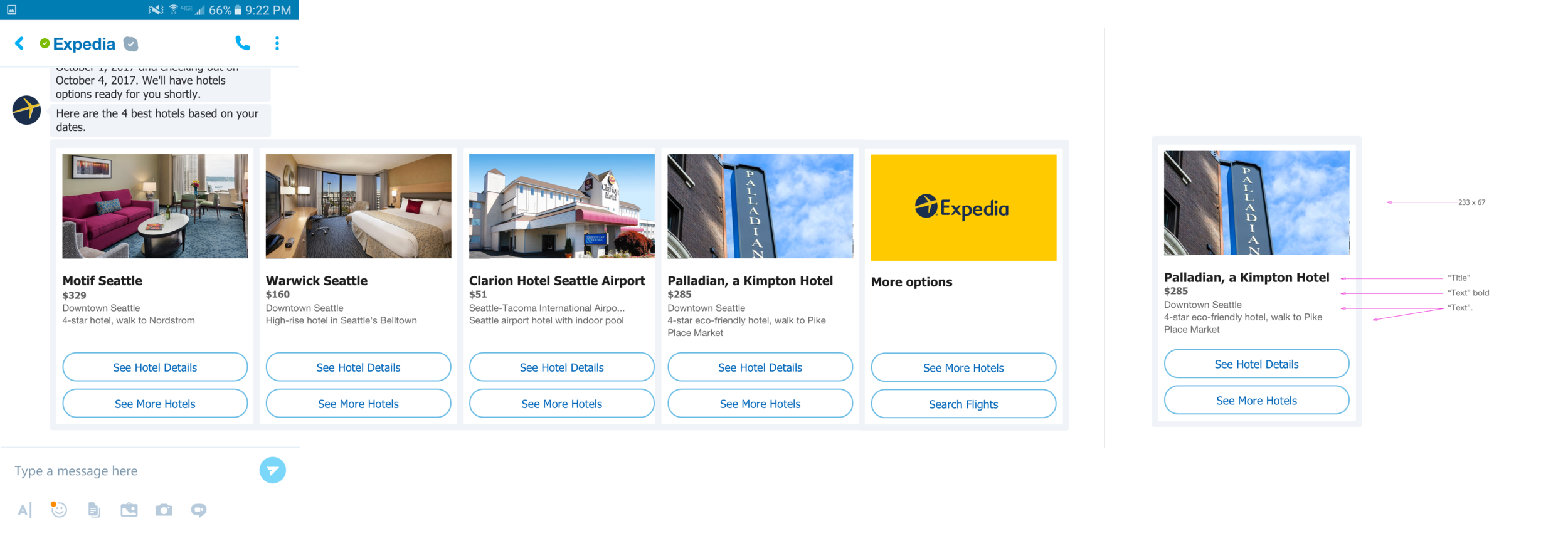
This was our MVP design for a user receiving hotel search results.
where we could improve
Both Facebook and Skype were actively building their respective platform as we were developing for it. Documentation, awareness of constraints, and best practices were limited, if they were available at all.
Due to conversational design being so new in North America, it was difficult to get user research until something was made
We had to create a “platform design” that can be used across platforms, but we didn’t know which platforms were coming next, or what their design constraints were. Facebook and Skype have significant design differences that forced us to rework certain sections of flows.
While we wanted to expand on Facebook’s work, we had too many use cases for Skype’s MVP. We eventually scoped the number down to what is in Skype now.
Did we succeed?
Yes and No. It did kick start what is now a funded and growing area of our business, and those that were not as involved in the day to day may actually be impressed with us. We did launch with the original use case goals technically being met. Ultimately, however, I don’t consider this project a success. I think we made a lot of mistakes, never stopped to attempt any sort of planning, made launch date promises we couldn’t keep and as a result settled for far less than we should have for our 1.0 version. The user experience was significantly below any quality bar standards our design team advocates for, and for awhile I was even embarrassed to have my name on the project. Even still, I can learn in any situations and this one was no different - I learned a lot and undoubtedly learned how to roar a little louder and speak up for the user.