EXPLORING WASHINGTON WINE
How can we present big data that allows users to learn more about a subject?
Background
Drinking wine has become an increasingly popular trend in the United States over the last few years. The state of Washington is ranked the second in the production of wine after the state of California with over 43,000 acres of vineyards by 2011. However, despite its popularity, wine is an expansive subject and many new wine drinkers feel uncomfortable and lack confidence in exploring. By way of a user centered design process, we learned who the most common wine drinkers are and what could help educate them on the subject of wine in a way that they would feel encouraged to explore and try new wines. We accomplished this by Explore Washington Wine, our Tableau-created interactive visualization that helps users understand what it is they like about existing wine and encourages the discovery of new wines for them. Through multiple design iterations and iterative usability testing, we successfully “de-snobbed” the snob factor associated with drinking wine and ultimately made novice users more comfortable and confident exploring new wine.
My Role:
Working on a team of 4 I was the project and research lead. We all worked together on the visuals and learned Tableau together.
Skills used:
Project management
User interviews
Information visualization techniques
Usability testing
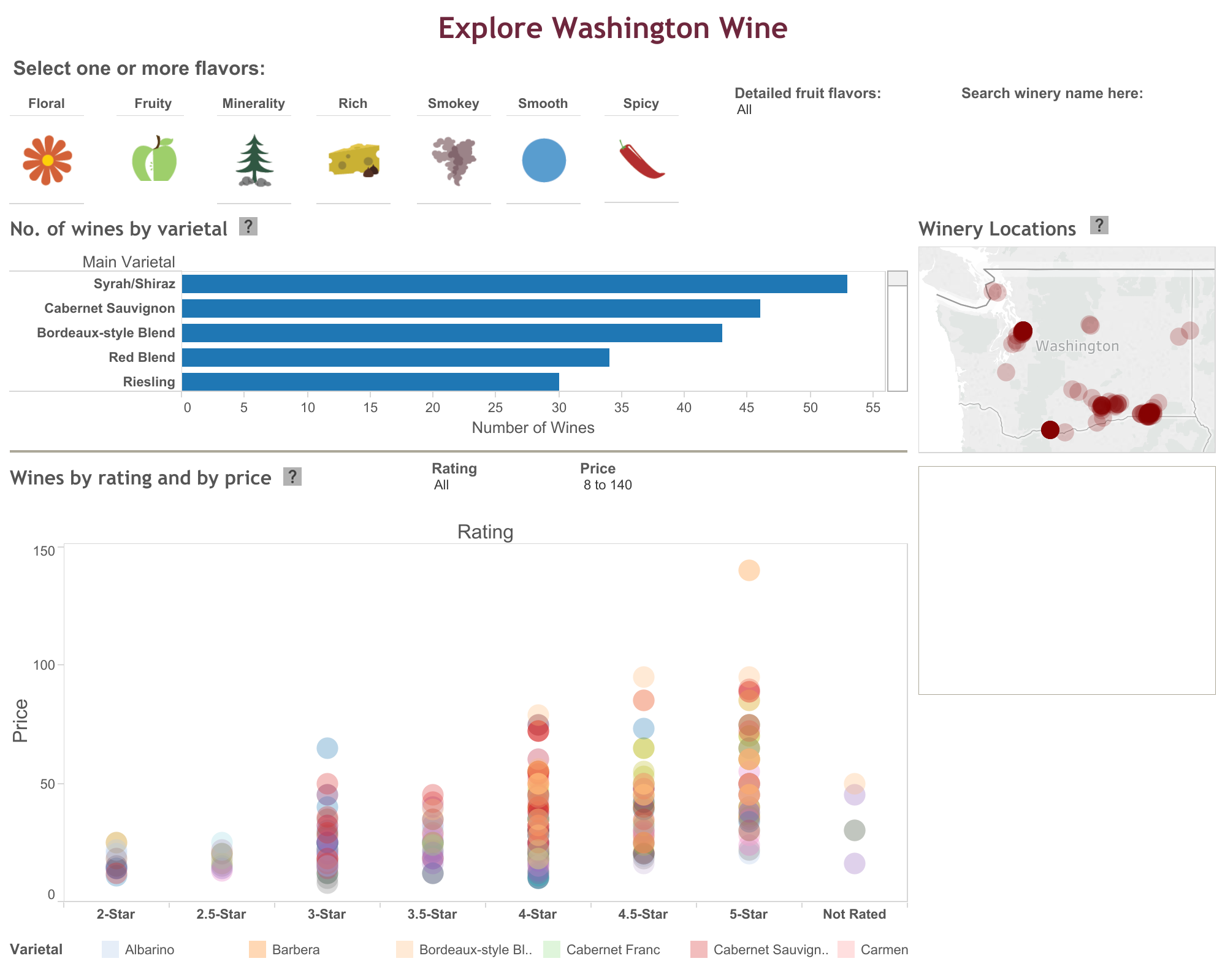
Our wine visualization
PROJECT GOALS
Our ultimate goal was to create a useful visualization to enable our personas to explores Washington wines. Other design constraints we kept in mind were:
The visualization should follow the user-centered design process as well as being user-friendly and intuitive to use
The visualization should incorporate design best practices such as Shneiderman’s mantra - present an overview of the data, while offering ability to zoom, filter, and provide details on demand, highlighting appropriate relationships among our data where necessary

Some of our design iterations. We started with sketching on a whiteboard and increased fidelity from there.
OUR PROCESS
We followed the UCD process throughout this project to ensure we were making something that would ultimately be useful to our primary users. We started with a handful of user research including expert interviews, a survey, and a trip to Wine World to talk with users and educate ourselves further on the subject of Washington Wine.
We then began building our prototype. We started with paper sketches, then make an interactive axure prototype, then began building our final visualization in Tableau. While building, we conducted several iterative usability tests and incorporated findings into our prototype updates.
Our initial research identified three types of wine users - novices, enthusiasts, and experts. Experts are highly uncommon and have different needs than novices and enthusiasts, so we excluded them from the beginning. As we continued with our project, we ultimately focused on the primary users only because it’s the largest set of wine drinkers and this gave us the biggest opportunity to help “de-snob wine” which is the main goal from the beginning.
When we felt our prototype was ready, we went back to Wine World and did a final round of usability testing. We tested with a total of 7 users, 4 of which met our primary user criteria. We are happy to say that all 7 participants were able to successfully complete all tasks. However, they still identified a lot of opportunity areas which we incorporated into our final visualization.
If you are interested in more information, we created and updated a process blog throughout this project. Please check it out here for MUCH more information on what went into our design decisions and our process!
Final deliverable
Our visualization can be viewed here.
With our visualization, our primary user is able to:
Select wines by flavor
Display the number of wines by grape varietal (e.g. Chardonnay, Riesling)
Display and compare individual wines with their rating and price
Display an optional geographic view for wines
Search wine by wine name
Filter wine to the user's specific interests and preferences
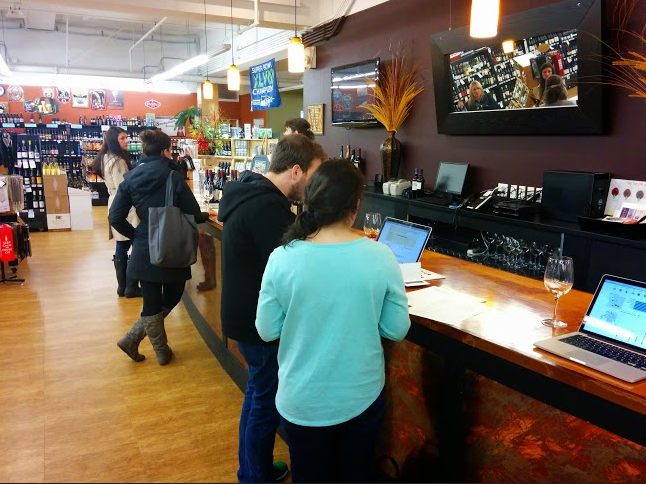
Usability testing at Wine World in Seattle, WA.
OUR DATA
Our data largely comes from two sources: a Washington Wine Report website and the Washington State Wine Commission website. The website has data for more than 9,700 wines made in Washington, however, they were not in a ready to use format. We had to manually enter data for each wines in order to use it, so we were limited the number of wines to 400 for this project. We made sure to offer well over a dozen different dimensions to ensure the data set is rich enough.